Start with the whole recording
Upload longer footage for automated play cuts. Keep the original recording available alongside the clips so you can check the context.
Film room
Upload your game recording and let AI help separate the plays and extract play information. Review the cuts, correct the details, and get to the moments you want to teach.
Included in the free plan. No credit card required.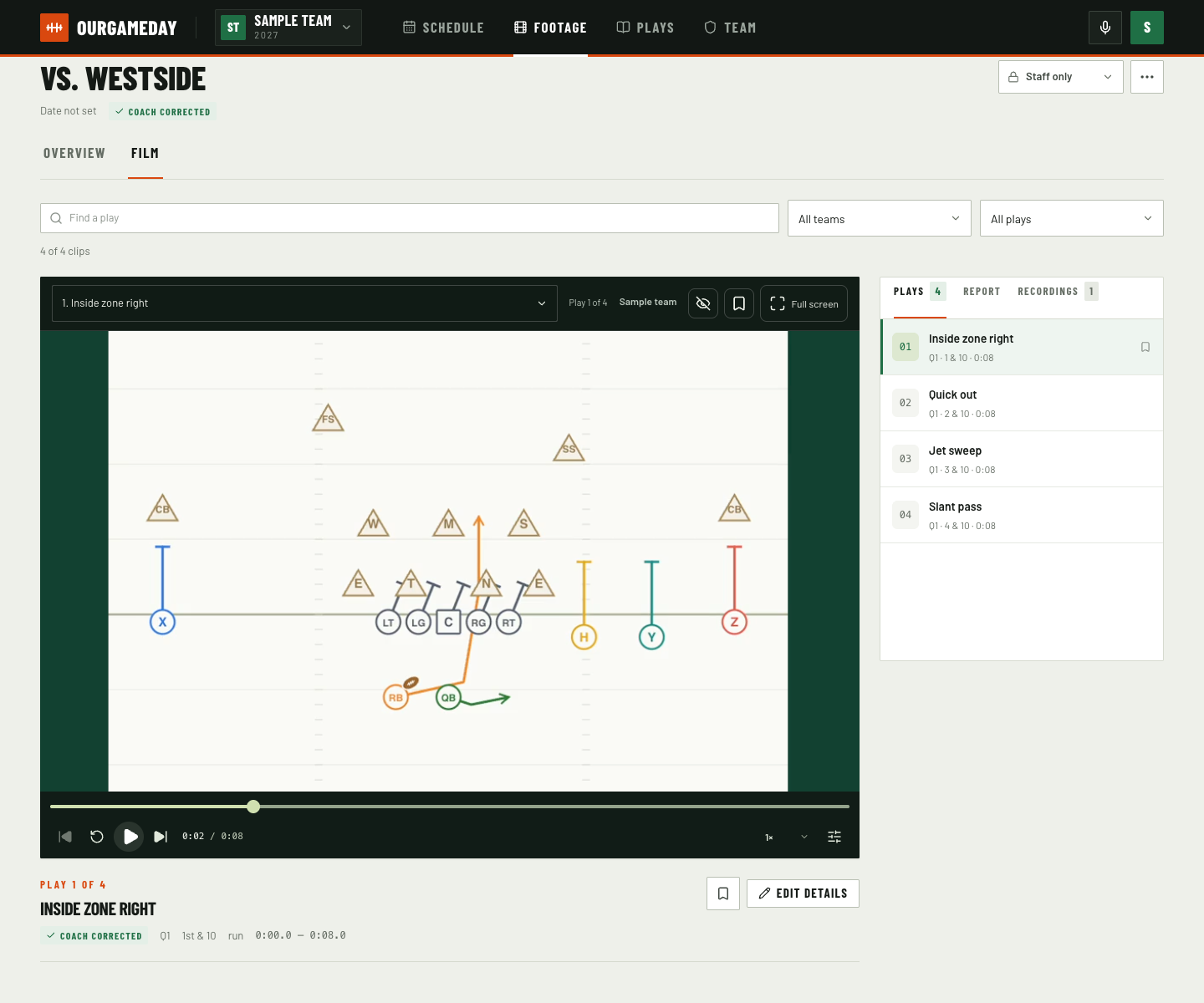
Upload longer footage for automated play cuts. Keep the original recording available alongside the clips so you can check the context.
AI suggests play information for coaches to check. Correct the details and adjust clip boundaries when the cut needs work.
Scrub the timeline, step through frames, change playback speed, and repeat a play. Zoom and pan to follow the action.
Find plays with filters and search, save clips for review, and link film examples to your drawn plays. Choose staff-only or team visibility.
Add your game recordings and follow their processing status in the app.
Review AI suggestions, adjust clips, and correct the play information.
Find the plays you need, add coaching notes, and connect examples to the playbook.
Yes. The free plan includes AI play cuts and suggested play information. Results depend on the footage and need a coach's review. Processing runs in a queue with usage safeguards.
Your team's original uploads and generated media, including clips and thumbnails, share the 100 GB allowance. The app shows your usage. Existing film remains available if you reach the limit while you make room.
Team membership and sign-in are required. Authorized staff can keep footage staff-only or share it with the team. Linking footage to the schedule does not change those permissions.
Play maker, film room, play counter, and scheduling are included. Start with 20 saved playbook plays and 100 GB of video storage, with AI cuts and suggested play information.
Original uploads and generated media share the storage allowance. AI results need coach review and processing has usage safeguards. No credit card required.