Make arrival time clear
Set when players should be at the field separately from kickoff. Keep the game's time zone with the schedule so the times have context.
Scheduling
Give your team one place for the matchup, arrival time, kickoff, and location. Open the play counter on game day and connect the footage afterward.
Included in the free plan. No credit card required.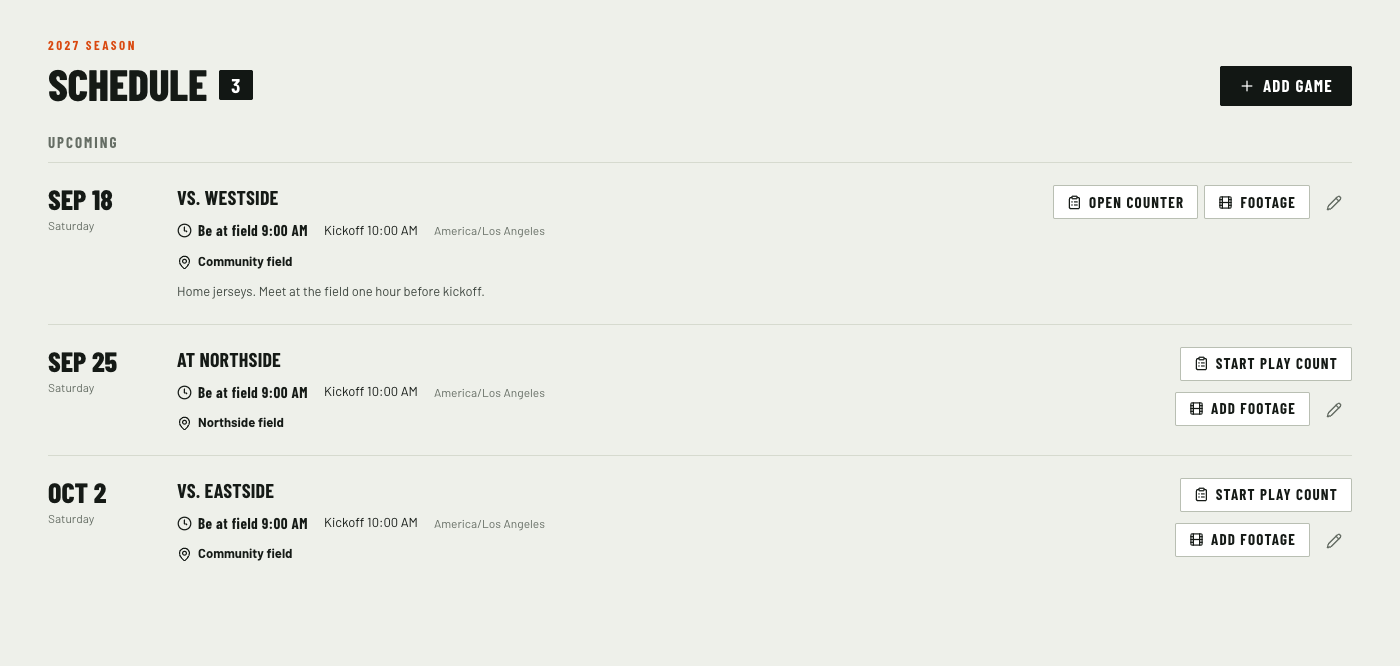
Set when players should be at the field separately from kickoff. Keep the game's time zone with the schedule so the times have context.
Add the opponent, home or away status, location, address, and notes. An address opens in maps for directions.
Authorized team members can go straight from the scheduled game to its play counter. Finished games keep a link to the final totals.
Link existing footage or upload recordings for the scheduled game. Film keeps its own staff or team visibility permissions.
An owner or administrator sets the opponent, date, arrival time, kickoff, and field.
Team members can view the schedule. Update notes or mark a game postponed or cancelled as plans change.
Start play counting from the game and link its recordings for later review.
Team owners and administrators can add and edit games. Team members can view the schedule. Play-count rights are managed separately.
Yes. Add the season's games first, then link existing game footage or upload recordings for a scheduled game when you have them.
No. Schedule access does not override film permissions. Staff-only footage stays restricted even when it is linked to a scheduled game.
Play maker, film room, play counter, and scheduling are included. Start with 20 saved playbook plays and 100 GB of video storage, with AI cuts and suggested play information.
Original uploads and generated media share the storage allowance. AI results need coach review and processing has usage safeguards. No credit card required.